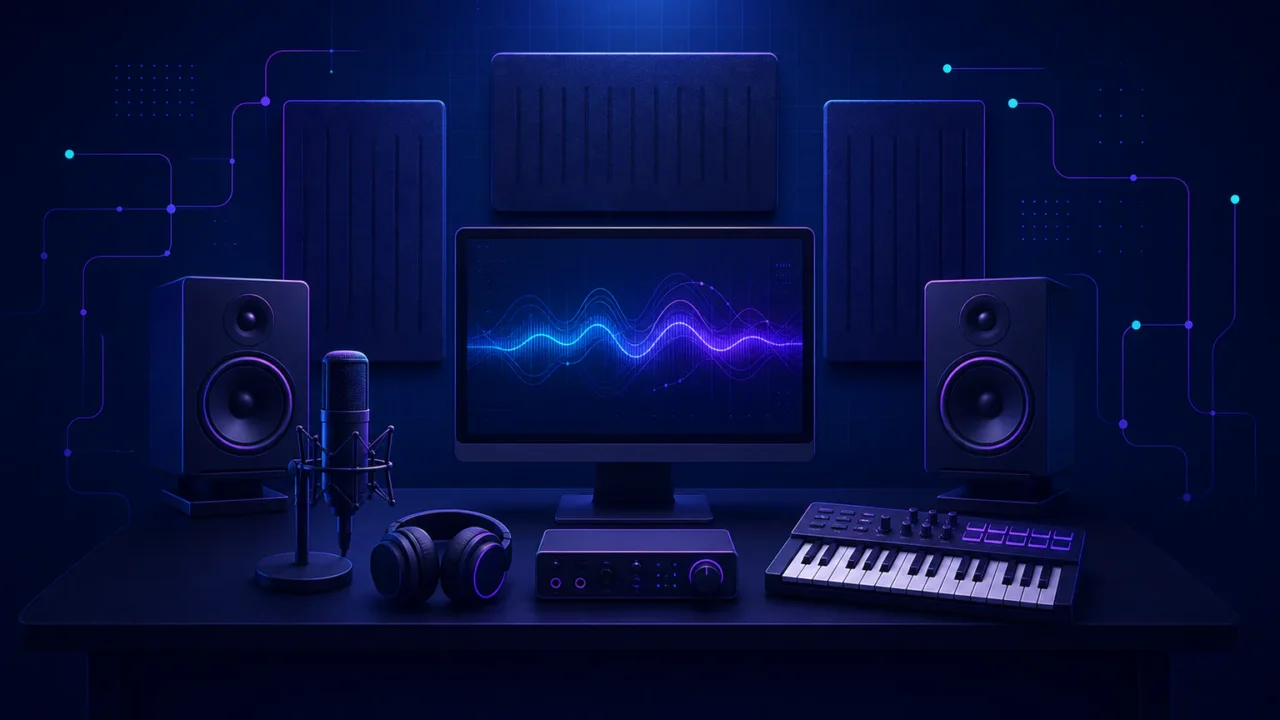
A home recording studio can cost anywhere from about $250 to well over $15,000. That answer is accurate, but it is not very helpful until you decide what the room must actually do.
Key takeaways
- Choose the budget from the session you need to finish and the number of sources recorded at once.
- Keep optional computer, furniture and structural work separate from the core recording setup.
- Enter researched prices in the planner; it totals your choices instead of guessing what you need.
Related guides: How Much Does a Recording Studio Cost? Booking vs. Building Do You Need a Sound Card for Music Production?
If you make beats entirely in software, a computer and dependable headphones may already be most of your studio. If you want to record one singer, you need a complete vocal chain. If you want to track drums or a full band, the input count, microphones, stands, cables and headphone system multiply quickly.
This guide starts with the session rather than a generic equipment list. You will find six realistic setup types, clear planning ranges and an itemized budget planner that keeps optional computer and building costs separate from the recording equipment.
Home recording studio costs at a glance
| What you want to do | Practical starting range | What the first setup needs |
|---|---|---|
| Make beats or electronic music | $250–$900 | DAW, headphones and enough project storage; controller and interface only when useful |
| Record vocals or rap | $400–$1,200 | Interface, microphone, closed-back headphones, stand, pop filter, cable and a controlled recording position |
| Record a singer-songwriter | $600–$1,800 | Two-input interface, one or two microphones, headphones, stands and cables |
| Record podcasts or voice-over | $300–$1,500 | One microphone and input per local speaker, headphones, stands and a quiet position |
| Mix on speakers | $1,200–$5,000 | Interface, monitor pair, stands or supports, headphones and measured room treatment |
| Record drums or a live band | $3,000–$15,000+ | Multi-input system, microphone set, stands, cables, cue mixes and a suitable room |
These are planning ranges, not package prices or promises about what every shopper will pay. Taxes, shipping, used equipment and regional prices vary. The ranges also assume that you already own a computer that can run the required sessions. A new computer should be treated as a separate decision, not quietly folded into every home-studio estimate.
Start with the session you want to finish
Imagine the first real session in the room. Who is there? What produces sound? How many things must be recorded at the same time? What must each person hear while performing?
Those questions determine the system. A solo vocalist needs one microphone input and one dependable headphone mix. A singer recording voice and acoustic guitar together may need two microphone preamps. A four-person podcast needs four microphones, four inputs and a way for four people to monitor. A drummer can use four, eight or more channels before the rest of the band is considered.
This is why copying a shopping list from another studio often wastes money. The list may solve a different session. Write your own signal path from the sound source to the finished file:
- Source: voice, instrument, software instrument or playback device
- Capture: microphone, instrument input or software
- Connection: audio interface, recorder or built-in computer audio
- Recording: computer, DAW and storage
- Monitoring: headphones, studio monitors or both
- Room: a quiet recording position, acoustic treatment and safe furniture
Anything needed to make that path work belongs in the core budget. A possible future computer, new desk or building project does not need to disguise itself as recording equipment.
Plan your home studio budget
This planner does not estimate prices for you. It totals the current prices you enter, so there is no hidden assumption about the computer, microphone or room you need. Leave an item at zero when you already own it or do not need it.
The result separates the recording setup from optional computer, furniture and building costs. That distinction matters: a $650 vocal system does not become a “$2,000 studio” merely because someone might also buy a laptop. Likewise, structural sound isolation is a construction project that needs site-specific quotations, not a number generated by an equipment calculator.
What can a home studio under 500 dollars include?
Five hundred dollars can build a useful first studio when you already have a suitable computer and keep the job narrow. The aim is not to buy a little of everything. It is to complete one recording path without leaving out the unexciting parts that make it usable.
A simple vocal setup
A one-person vocal setup can combine an entry-level interface, one microphone, closed-back headphones, a stable stand, pop filter and cable. Use the included recording software at first if it supports the editing and comping you need. Keep some of the budget for the recording position rather than spending every dollar on the microphone.
As a scale reference, Focusrite listed its Scarlett Solo interface at $159.99 and its Solo Studio bundle at $279.99 in the US when checked on July 27, 2026. A bundle can cover the interface, microphone and headphones, but it still may not include the right stand, pop filter, room treatment or computer. Check the current manufacturer range before using those figures.
A software-based beatmaking setup
A beatmaker can put most of the same budget into a DAW, headphones and storage. An audio interface is optional until you need a microphone, instrument input, balanced speaker outputs or direct monitoring. A MIDI controller can make performance faster, but it does not create sound by itself; the guide to MIDI keyboards and controllers explains when one changes the workflow.
At this budget, avoid large plug-in collections. The effects and instruments included with the DAW can reveal what is genuinely missing. Another compressor will not solve unreliable monitoring, a noisy recording position or unfinished arrangements.
What changes between 1,000 and 1,500 dollars?
This range gives a one-person studio room to become more complete. It can support a better recording position, a second input, a second microphone with a distinct job, or an entry monitor system with proper placement. It should not automatically be divided equally between more products.
Vocal and rap recording
For vocals, spend next on the problem that appears in actual takes. If every take sounds roomy, work on placement and broadband absorption before changing microphones. If performers struggle to hear themselves, fix the headphone feed. If levels are inconsistent, use the guide to vocal recording level and headroom before assuming the preamp is the problem.
A stand that drifts or tips is also a recording problem. The instructions for balancing a microphone boom stand can prevent damage and interruptions more effectively than a cosmetic upgrade.
Singer-songwriter recording
The key choice is whether voice and instrument will be recorded together. Simultaneous capture can preserve the performance, but it may require two preamps, two microphones and careful control of spill. Recording the parts separately gives more editing control and may let one versatile microphone do both jobs.
Make that workflow decision before buying a second channel. If the acoustic guitar pickup provides an acceptable guide track, the first version may still need only one microphone. If a live voice-and-guitar performance is the product, two reliable paths are part of the core system.
Podcast and voice-over recording
For spoken-word work, count seats. Each local speaker normally needs a suitable microphone, input, stand and monitoring path. A solo narrator can stay close to the $300–$700 end of the range. A four-person table may require four preamps, four microphones, four cables, four stands and headphone distribution.
Remote interviews also need suitable routing or loopback, dependable local recording and a backup plan. Keep cameras and lighting in a separate video budget so the audio setup remains easy to understand.
A mixing-focused studio costs more than a pair of speakers
A practical mixing room often falls between $1,200 and $5,000 before the computer. The largest mistake is treating the monitor price as the entire monitoring budget. Speakers only become useful references when placement, listening position, support and room behaviour are considered together.
- A matched monitor pair suited to the listening distance
- Stable stands or supports at the correct height
- A reliable interface or monitor controller
- Broadband absorption and bass control based on the room
- A dependable headphone reference
- Measurement or calibration tools when they solve a documented problem
Check whether a monitor price is for one speaker or a pair. When checked on July 27, 2026, Kali Audio listed its LP-UNF complete pair from $274, while the LP-6/LP-8 range started at $249 per speaker. The manufacturer’s current monitor lineup shows why the unit of sale matters.
Do not add a subwoofer simply because there is money left. It creates another crossover, level, placement and room-integration decision. Start with speaker placement, treatment and familiar reference material. Check mixes in mono as well as stereo; the guide to mono, stereo and phase compatibility explains what that check can reveal.
Why a band or drum studio becomes expensive
A live band or drum room can move from $3,000 to $15,000+ because almost every part of the signal path multiplies. More microphones mean more preamps, stands and cables. More performers mean more headphone feeds. A louder source places greater demands on the room, neighbours, doors and ventilation.
Write a channel list for the largest session you genuinely expect. A drum setup might include kick, snare and overheads before toms, room microphones, bass, guitars, keys, guide vocal and talkback are added. Then read the interface specification carefully. A product described as “18-input” does not necessarily have 18 built-in microphone preamps.
- Enough microphone preamps for simultaneous sources
- Microphones with defined jobs
- Heavy and short stands, clips and correctly sized cables
- Headphone distribution and safe cue feeds
- Talkback and communication
- Storage and backups for larger multitrack sessions
- Safe power, cable routes and ventilation
- Acoustic treatment for the capture and monitoring positions
If a full band enters the room only once or twice a year, building for that rare peak may offer poor value. A hybrid workflow can be smarter: record drums or the ensemble in a suitable professional room, then overdub, edit and mix at home. Compare the separate guide to professional recording-studio costs.
Should a computer be part of the studio budget?
Only include a new computer when you actually plan to buy one for the studio. If your current machine runs the required DAW, plug-ins and sessions reliably, its cost to this build is zero. That is why the budget planner shows “new computer” under optional costs rather than combining it with microphones and interfaces.
Upgrade for a demonstrated limitation: unsupported software, audio dropouts at workable settings, inadequate memory for the instruments you use, insufficient storage or fan noise that enters recordings. Do not buy a “music computer” from a generic specification list without checking the software and interface you will use.
Choose the essential software before the operating system when compatibility decides the workflow. The Windows, macOS and Linux music-production guide includes a compatibility worksheet, while the guide to gaming computers for music production explains which gaming specifications transfer usefully.
| Software route | Published US price | What to check |
|---|---|---|
| REAPER | $60 discounted licence or $225 commercial licence | Which licence applies and whether local tax is added |
| Logic Pro | $199.99 standalone for Mac | Current macOS and hardware requirements |
| Software included with hardware | Sometimes included | Whether licences are permanent, limited editions or trials |
Prices and requirements change, so use those amounts as scale references rather than permanent totals. A modest DAW that opens every project reliably is better value than a large bundle the computer cannot run comfortably.
Acoustic treatment and soundproofing are different budgets
Acoustic treatment changes reflections and decay inside the room. Broadband absorbers, bass control and careful placement can make vocal recordings drier and monitoring more reliable.
Sound isolation reduces sound passing through the structure. It can involve mass, airtight construction, structural separation, doors, windows, electrical work and quiet ventilation. Foam tiles do not soundproof a room.
If the problem is “the vocal sounds too roomy,” test placement and treatment. If the problem is “the drums disturb the neighbours” or “traffic enters the microphone,” the requirement is isolation. Put the latter in the optional building-cost section and obtain site-specific professional advice and quotations.
Where the budget usually gets forgotten
The small items do not look exciting in a product photo, but they decide whether the studio is ready on the first day.
- Stands and mounting: stable microphone stands, monitor supports and the correct clips or adapters
- Cables: the right connector, length and at least one sensible spare
- Storage and backups: enough working space plus another copy of every important project
- Power: safe distribution and protection appropriate to the equipment
- Software renewals: subscriptions, upgrades, sample services and cloud storage
- Wear and repairs: cables fail, headphone pads wear and moving stand parts loosen
- Furniture: a safe working height and monitor position, not necessarily a specialist “studio desk”
Add these items to the core setup when they are needed to use the equipment. Keep a 5–10% planning buffer only if it helps cover missing details; it is not a mandatory fee, which is why the calculator starts it at zero.
The most useful order for upgrades
- Fix reliability. Deal with crashes, damaged cables, unstable stands and missing backups.
- Improve the performance and source. Preparation, instrument maintenance and microphone technique come before prestige equipment.
- Control the recording position. Reduce noise and reflections that appear in every take.
- Improve monitoring. Work on placement, treatment, level matching and suitable headphones or speakers.
- Add capacity. Buy more inputs, microphones or cue feeds when a real session requires them.
- Add alternatives. A second microphone, preamp or plug-in becomes useful after the core path is dependable.
Change one bottleneck at a time and keep a reference recording. You will hear whether the purchase solved the intended problem instead of merely making the studio look more complete.
Can used equipment reduce the cost?
Used stands, sturdy furniture, controllers, some microphones and speakers can provide good value when their condition can be tested. Check moving parts, connectors, power supplies, driver support and whether software licences transfer. Listen to both speakers in a monitor pair and inspect microphones for damage or contamination.
Be more cautious with damaged mains equipment, swollen batteries, obsolete interfaces, noisy controls and products tied to a non-transferable software account. A cheap interface is not a saving if its driver does not support your operating system. Include missing cables, power supplies, repairs and return risk in the real price.
Home studio or professional studio?
| Build at home | Book a studio | Use both |
|---|---|---|
| You record often and need time to experiment | You need an acoustic space, specialist equipment or an experienced engineer | Capture difficult sources elsewhere and finish suitable work at home |
| You mostly work alone or record one source at a time | You need several performers and inputs at once | Record drums or ensembles professionally, then overdub at home |
| You can manage the noise, room and engineering | The home environment cannot meet the isolation requirement | Agree formats and deliverables before moving the project |
A basic break-even calculation divides the home-system cost by the professional sessions it replaces, but the experience also differs. A booked room brings time pressure while providing acoustics and expertise. A home studio provides access and repetition while making you responsible for engineering, maintenance and the room.
Frequently asked questions
Can I build a home recording studio for $500?
Yes, if you already have a suitable computer and record one source at a time. That budget can cover a basic vocal chain or a software-based beatmaking setup. It is unlikely to cover a new computer, monitor system, structural isolation or multi-microphone drum recording.
How much should a beginner spend?
Spend enough to complete one reliable signal path. For many beginners with a compatible computer, that means roughly $250–$900 for software production or $400–$1,200 for one-person vocal recording. Choose the range from the job, not from an assumed skill level.
Do I need studio monitors immediately?
No. Closed-back headphones may be the first monitoring purchase for vocal recording, and headphones can be practical when speakers would disturb other people. Monitors become more useful when placement and the room let you judge balances reliably.
Do I need an audio interface?
You normally need one for XLR microphones, instrument inputs, balanced monitor outputs or direct low-latency monitoring. Someone working entirely with software may not need one at first. The guide to sound cards and audio interfaces covers that decision in detail.
How much does it cost to soundproof a home studio?
There is no responsible universal price. The cost depends on the structure, required isolation, room size, doors, windows, electrical work and quiet ventilation. Acoustic panels are not soundproofing. Get site-specific construction advice and quotations when sound transmission is the problem.
Build the smallest studio that finishes the work
Start with the sessions you expect to complete during the next year. List the sources recorded at the same time, the room limitations and the equipment you already own. Then price the complete path, including monitoring, stands, cables, storage and any treatment the room actually needs.
The best first studio is not the one with the longest shopping list. It is the one you can learn, trust and use regularly. Build that complete version, make music with it, and let a repeatable problem identify the next upgrade.